


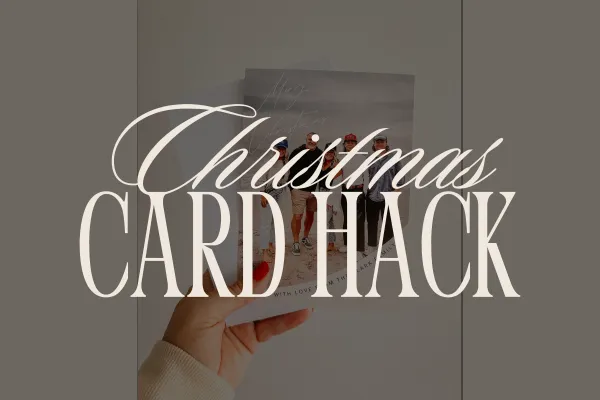
How I Create Beautiful Christmas Cards on a Budget Using Canva + Vistaprint (My Exact Method!)
Every year I look forward to sending out our Christmas cards. There’s something so meaningful about holding a little piece of the year in your hands. A favorite family photo, a few words filled with love and blessing, and sending it off to the people who matter most.
But here’s the truth: Christmas cards can get really expensive… especially if you’re sending out a big batch.

*our card from 2023 created using Canva and printed with Vistaprint
Over the years, I’ve figured out a simple, affordable method that gives me gorgeous, high-quality cards without the hefty price tag. And the best part? They look every bit as lovely as the premium options.
Today, I’m sharing exactly how I design our Christmas cards in Canva and print them through Vistaprint for a fraction of the cost. If you want cards that feel custom and beautiful — without spending a small fortune — this is the easiest way to do it.

Step 1: I Start My Design in Canva (5x7 Format)
Since I know I want a classic 5x7 card, I start right inside Canva by creating a new 5x7 design. Canva makes this so easy — just set the custom dimensions and you’re off.
I typically:
Browse templates until I find one that fits the look I want.
Swap in our family photo(s).
Adjust fonts, colors, or small details to make it feel like us.
(Optional) Then I design a second 5x7 page for the back of the card — usually a simple message, some extra photos, or a clean layout. *Having a design on back will raise the price of your card slightly so if your budget is tight, just leave it blank!
Canva’s drag-and-drop setup makes it fast, and I love that I can tweak things endlessly until it looks just right.
Once both sides are done, I download them as PNG files. One for the front and one for the back.

Step 2: Why I Choose Vistaprint Postcards (Not Christmas Cards!)
This is the part that surprises people… but it’s the key to saving money without sacrificing quality.
Instead of ordering “Christmas Cards,” I order 5x7 postcards.
Here’s why:
Vistaprint gives you 250 postcards for an incredible low price. - Plus use code VPHOLIDAYSAVE for 15% off your purchase
Traditional Christmas cards come in much smaller quantities and cost significantly more per card.
Even after purchasing plain envelopes from Amazon, I still save around $30 by doing the postcard method.
And yes — they still look and feel exactly like real Christmas cards!
You simply upload the front design as the “front of the postcard” and the back design as the “back of the postcard.” Easy.
👉 Plus use code VPHOLIDAYSAVE for 15% off your purchase
Step 3: Choose Your Finish (I Use Matte)
Vistaprint offers several upgrades, but I always stick with the matte finish. It looks clean, modern, and high-end without adding extra cost.
But if you love a little shine, glossy is an option too.
Step 4: Optional: Let Vistaprint Address Them For You
If you want to save major time, Vistaprint does offer address printing.
You just upload your address list, and they take care of the rest. You must order cards or invitations to take advantage of envelope addressing service. However, if you’re only interested in return addressing, you can purchase a batch of custom envelopes.
I usually handle printing my own labels because it's simple and cost-effective, but the option is there if you’re crunched for time and have the file ready or want an elevated experience.
Step 5: Compare Pricing if You’re Curious
Sometimes I upload my design as both a postcard and a Christmas card in Vistaprint just to compare.
Every single time, the postcard option wins — especially if you're purchasing a large quantity.
It’s a little Christmas hack that saves money without anyone noticing a difference in quality.
The Final Result: Gorgeous, Custom, Affordable Cards
By the end of the process, I’ve spent far less than most traditional Christmas card companies charge, and the cards still look amazing. With Canva’s beautiful templates and Vistaprint’s simple upload system, it’s a stress-free way to create something meaningful and high-quality without blowing the budget.
If you want to try this method this year, trust me — it’s so simple, and you’ll love how your cards turn out.
👉 Don't forget to use code VPHOLIDAYSAVE for 15% off your purchase
FAQ
Can I design a 5x7 Christmas card in Canva?
Yes! Canva allows custom-size templates, including 5x7. You can start with a premade holiday card template or design one from scratch and then tweak colors, fonts, and layouts to fit your family photos.
Does VistaPrint print Canva designs?
Absolutely. You can download your Canva designs as PNG files and upload them directly to VistaPrint. They print beautifully when exported at high resolution.
Why use VistaPrint postcards instead of Christmas cards?
Postcards come in larger quantities for a significantly lower price. If you send out a lot of cards, this option can save $20–$50 per order while still giving you high-quality 5x7 prints.
Do VistaPrint postcards come with envelopes?
They don’t automatically include envelopes, but you can order plain 5x7 envelopes on Amazon for a fraction of the price. Or, if you opt for their Christmas cards, they're included
What finish is best for Christmas cards?
I recommend the matte finish — it looks clean, professional, and photographs well.
Can VistaPrint print my addresses for me?
Yes! VistaPrint offers address printing if you'd like to streamline mailing.
Should I use PNG or JPG for VistaPrint?
PNG is best for crisp, clean, high-resolution holiday card prints — especially when uploading Canva designs.
Other resources you might like
Simplify Your Christmas - + Free Christmas Planner
Purposeful Planner — plan your days with intention
Purposeful Life Method — rediscover your God-given purpose
The Purpose Project Book — deepen your faith and purpose journey
Follow Corie on Instagram: instagram.com/corieclark


How I Create Beautiful Christmas Cards on a Budget Using Canva + Vistaprint (My Exact Method!)
Every year I look forward to sending out our Christmas cards. There’s something so meaningful about holding a little piece of the year in your hands. A favorite family photo, a few words filled with love and blessing, and sending it off to the people who matter most.
But here’s the truth: Christmas cards can get really expensive… especially if you’re sending out a big batch.
*our card from 2023 created using Canva and printed with Vistaprint
Over the years, I’ve figured out a simple, affordable method that gives me gorgeous, high-quality cards without the hefty price tag. And the best part? They look every bit as lovely as the premium options.
Today, I’m sharing exactly how I design our Christmas cards in Canva and print them through Vistaprint for a fraction of the cost. If you want cards that feel custom and beautiful — without spending a small fortune — this is the easiest way to do it.
Step 1: I Start My Design in Canva (5x7 Format)
Since I know I want a classic 5x7 card, I start right inside Canva by creating a new 5x7 design. Canva makes this so easy — just set the custom dimensions and you’re off.
I typically:
Browse templates until I find one that fits the look I want.
Swap in our family photo(s).
Adjust fonts, colors, or small details to make it feel like us.
(Optional) Then I design a second 5x7 page for the back of the card — usually a simple message, some extra photos, or a clean layout. *Having a design on back will raise the price of your card slightly so if your budget is tight, just leave it blank!
Canva’s drag-and-drop setup makes it fast, and I love that I can tweak things endlessly until it looks just right.
Once both sides are done, I download them as PNG files. One for the front and one for the back.
Step 2: Why I Choose Vistaprint Postcards (Not Christmas Cards!)
This is the part that surprises people… but it’s the key to saving money without sacrificing quality.
Instead of ordering “Christmas Cards,” I order 5x7 postcards.
Here’s why:
Vistaprint gives you 250 postcards for an incredible low price. - Plus use code VPHOLIDAYSAVE for 15% off your purchase
Traditional Christmas cards come in much smaller quantities and cost significantly more per card.
Even after purchasing plain envelopes from Amazon, I still save around $30 by doing the postcard method.
And yes — they still look and feel exactly like real Christmas cards!
You simply upload the front design as the “front of the postcard” and the back design as the “back of the postcard.” Easy.
👉 Plus use code VPHOLIDAYSAVE for 15% off your purchase
Step 3: Choose Your Finish (I Use Matte)
Vistaprint offers several upgrades, but I always stick with the matte finish. It looks clean, modern, and high-end without adding extra cost.
But if you love a little shine, glossy is an option too.
Step 4: Optional: Let Vistaprint Address Them For You
If you want to save major time, Vistaprint does offer address printing.
You just upload your address list, and they take care of the rest. You must order cards or invitations to take advantage of envelope addressing service. However, if you’re only interested in return addressing, you can purchase a batch of custom envelopes.
I usually handle printing my own labels because it's simple and cost-effective, but the option is there if you’re crunched for time and have the file ready or want an elevated experience.
Step 5: Compare Pricing if You’re Curious
Sometimes I upload my design as both a postcard and a Christmas card in Vistaprint just to compare.
Every single time, the postcard option wins — especially if you're purchasing a large quantity.
It’s a little Christmas hack that saves money without anyone noticing a difference in quality.
The Final Result: Gorgeous, Custom, Affordable Cards
By the end of the process, I’ve spent far less than most traditional Christmas card companies charge, and the cards still look amazing. With Canva’s beautiful templates and Vistaprint’s simple upload system, it’s a stress-free way to create something meaningful and high-quality without blowing the budget.
If you want to try this method this year, trust me — it’s so simple, and you’ll love how your cards turn out.
👉 Don't forget to use code VPHOLIDAYSAVE for 15% off your purchase
FAQ
Can I design a 5x7 Christmas card in Canva?
Yes! Canva allows custom-size templates, including 5x7. You can start with a premade holiday card template or design one from scratch and then tweak colors, fonts, and layouts to fit your family photos.
Does VistaPrint print Canva designs?
Absolutely. You can download your Canva designs as PNG files and upload them directly to VistaPrint. They print beautifully when exported at high resolution.
Why use VistaPrint postcards instead of Christmas cards?
Postcards come in larger quantities for a significantly lower price. If you send out a lot of cards, this option can save $20–$50 per order while still giving you high-quality 5x7 prints.
Do VistaPrint postcards come with envelopes?
They don’t automatically include envelopes, but you can order plain 5x7 envelopes on Amazon for a fraction of the price. Or, if you opt for their Christmas cards, they're included
What finish is best for Christmas cards?
I recommend the matte finish — it looks clean, professional, and photographs well.
Can VistaPrint print my addresses for me?
Yes! VistaPrint offers address printing if you'd like to streamline mailing.
Should I use PNG or JPG for VistaPrint?
PNG is best for crisp, clean, high-resolution holiday card prints — especially when uploading Canva designs.
Other resources you might like
Simplify Your Christmas - + Free Christmas Planner
Purposeful Planner — plan your days with intention
Purposeful Life Method — rediscover your God-given purpose
The Purpose Project Book — deepen your faith and purpose journey
Follow Corie on Instagram: instagram.com/corieclark

THE BLOG
Corie shares how she lives a life of purpose. Talking all things faith, life, business, health, and more.
THE SHOP
Shop the Purposeful Planner, Prayer Journal & other tools to help you live on purpose.
THE PODCAST
Each week, Corie will bring you practical advice to help you live your life, and grow your business, on purpose.
YOUTUBE
Watch podcast episodes + more!
CORIE CLARK
Corie Clark is a personal brand expert, the author of the Simplicity Project, creator of The Purposeful Planner, and podcast host of “Purpose with Corie Clark.”
Corie is passionate about helping women discover their God-given purpose and turn it into a life and business they love. She helps purpose-driven women uplevel their personal brand to a six and seven figure business through her Purposeful Influence community.

©Corie Clark - All Rights Reserved - Terms & Conditions - Privacy